The material design on Android lollipop is truly a sight to behold. With so many transitions and animations, along with premium white settings as compared to black ones, Android is looking better than any of the previous versions. The problem is, not everyone have received Lollipop yet. The recent data suggests that adoption rate of Android 5.0 is just 1.6%, which is nowhere. Majority of the Android devices are still using Android Kit Kat (39%) and 44.5% running on Android Jellybean (4.1, 4.2 and 4.3 combined).
Install Fancy switcher:
You can install Fancy switcher app from play store (download link) for free. It does have in-app purchase, which lets you unlock the Gold version. The free version is more than enough to get Android Lollipop recent apps menu on your device. But if you wish to customize it further, like adjust size of thumbnails, use your own icon pack, use different animations and get various close app effects, you can upgrade to the Gold version.
Related: How to hide images from gallery (android)
Getting started with fancy switcher:
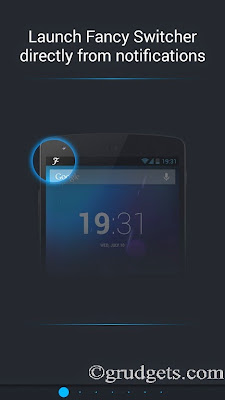
When you load this app for the first time, it will guide you through series of screens showing all features offered by the app.
Once you have browsed through all the screens, you will be presented by the main app. There is an image present in the background. What you have to do is, just tap on the gear icon present at bottom of the screen. It will open up settings.
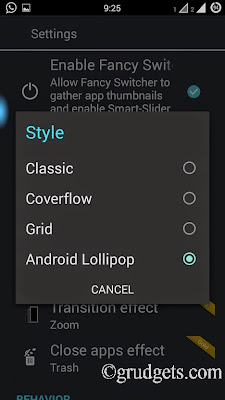
From settings, tap on style. Just select the radio button next to Android L and you are done. If you wish to, you can even set the background color for your recent menu from “Background” option. The gold version allows you to use your home wallpaper as background. As stated earlier, you can even change transition and close app effect once you buy gold version.
Set it as default switcher for recent apps:
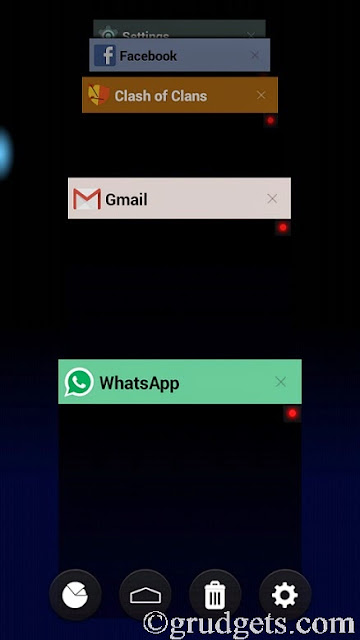
You can access fancy switcher using two options, through the ongoing notification and usual Home button. To set it as default, long press Home key, or select it from notification drawer and select “Always” when “Complete action using” pops up. Whenever you try to access recent menu, you will be getting Android Lollipop style recent apps menu.
Additional features:
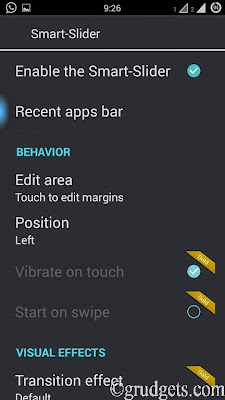
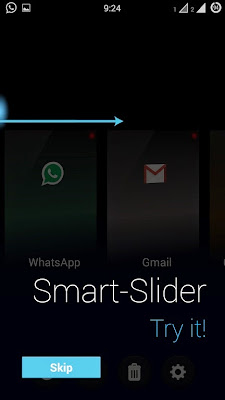
You might have figured out that once you have installed this app, there is small blue bubble present on left side of the screen. This is another awesome feature present. To use this feature, just go to recent apps menu and select the settings icon from there. Go to slider settings to adjust this option, or you may turn it off completely if you wish to.
Final words:
So, if you followed all these steps correctly, than you will get perfect clone of Android Lollipop style recent apps menu on your Android device. And yes, this app works only on Android ICS and above devices.
[Video] Guide to implement it right way.

Leave a Reply